


Comprehensive Review of the CDJ-1500X from Alpha Theta with Links and Videos
- 4 days ago
- 3 min read
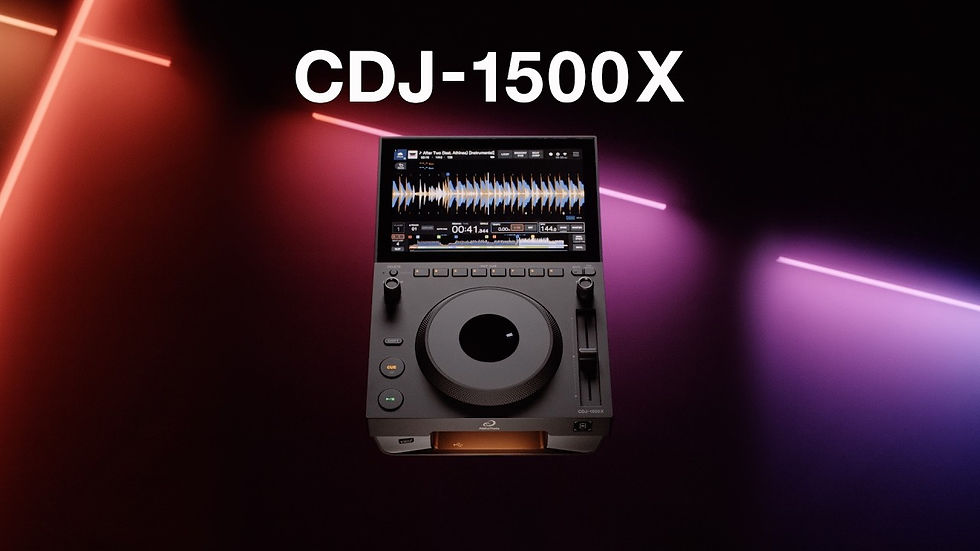
The CDJ-1500X from Alpha Theta stands as a notable choice for DJs seeking a reliable and feature-rich digital media player. This review explores its design, performance, and usability, providing links and videos to help you understand why it remains a popular option in the DJ community.
Design and Build Quality
The CDJ-1500X features a sturdy build that feels solid under your hands. Its layout is intuitive, with a large jog wheel that offers precise control for scratching and pitch bending. The buttons and knobs are well spaced, allowing for quick adjustments during live sets.
The device supports multiple media formats, including USB drives and CDs, making it versatile for different DJ setups. The screen is clear and bright, displaying track information and waveforms that help with beatmatching and track selection.
Key Features
Jog Wheel with Adjustable Torque
The jog wheel provides a smooth and responsive feel. You can adjust the torque to suit your style, whether you prefer tight control or a looser spin.
Slip Mode
Slip mode allows you to scratch or loop a track while the music continues to play silently in the background. When you release the jog wheel, the track resumes from the correct position.
Looping and Cue Points
The CDJ-1500X lets you set and save cue points and loops on the fly. This feature is essential for live remixing and creating seamless transitions.
USB and CD Compatibility
Unlike many modern players that focus solely on USB or digital files, this model supports both USB sticks and CDs, offering flexibility for DJs with diverse libraries.
Performance in Live Settings
Many DJs praise the CDJ-1500X for its reliability during performances. The device boots up quickly and maintains stable playback without glitches. The tactile feedback from the jog wheel and buttons helps maintain control even in high-pressure environments.
The audio output is clean and clear, with minimal latency, which is crucial for beatmatching and mixing. The player also integrates well with mixers and other DJ equipment, supporting standard connections.
User Experience and Interface
The interface is user-friendly, with a clear display that shows track details, BPM, and waveform. Navigating through tracks is straightforward, and the search function allows quick access to songs on USB drives.
The CDJ-1500X also includes a vinyl mode, which simulates the feel of a traditional turntable, appealing to DJs who prefer a more tactile experience.
Comparison with Other Models
Compared to newer models like the CDJ-2000NXS2, the CDJ-1500X lacks some advanced features such as touchscreen controls and Pro DJ Link support. However, it offers a solid balance of functionality and affordability, making it a great choice for DJs who want dependable performance without the highest price tag.
Helpful Links and Videos
Explore detailed specifications and official resources.
Watch a hands-on demonstration highlighting key features.
Tips for Getting the Most Out of Your CDJ-1500X
Use the adjustable jog wheel torque to match your mixing style.
Take advantage of slip mode to add creative scratches without losing track position.
Organize your USB drives with clear folders and cue points for faster access.
Regularly update the firmware to ensure compatibility and performance improvements.
Final Thoughts
The CDJ-1500X from Alpha Theta delivers a reliable and versatile experience for DJs who want a balance of classic features and modern digital support. Its solid build, intuitive controls, and compatibility with both CDs and USB drives make it a practical choice for various DJing styles.
If you are looking for a dependable media player that offers precise control and flexibility, the CDJ-1500X deserves serious consideration. Explore the linked videos and official resources to see how it fits your needs and setup.

